Home/Projects
Projects
The things we build.
These are our own projects. We build them to sharpen our own tooling and to show, in the open, how we work with AI, security and robotics. The people who build these are the people who build what we ship for clients.
Agent Second Brain

A personal knowledge agent that files what you tell it. You talk, it saves. No app to open, no folders to keep tidy.
Every productivity system dies the same way. You set it up, use it for two weeks, then stop, because keeping the system tidy becomes more work than the work itself. Agent Second Brain removes the tidying step. You speak or type into Telegram and the agent files it for you, into your own Obsidian vault, as plain markdown. Everything runs on your own server, so your notes, clients and goals never pass through anyone else’s service.
What it does
-
Captures everythingVoice, text, photos, documents, videos and forwarded posts. The agent reads the files itself and saves the takeaways. Nothing you send is dropped.
-
Knowledge graph memoryTyped cards, wiki links, memory that fades over time across five tiers, automatic index pages, health scoring, link repair and dedup.
-
Reminders it sets itselfAsk in plain words, remind me Friday at 3pm, or every weekday at 18:30 check my inbox. The agent schedules its own jobs. No separate task manager.
-
Works overnightEach night it sorts the day’s entries, writes summaries and keeps the graph healthy while you sleep.
-
Telegram is the whole interfaceNo commands to learn, no categories to pick, no app to open.
Shannon by Keygraph

An autonomous AI pentester for web apps and their APIs. It reads your source code, then proves the exploits that actually work.
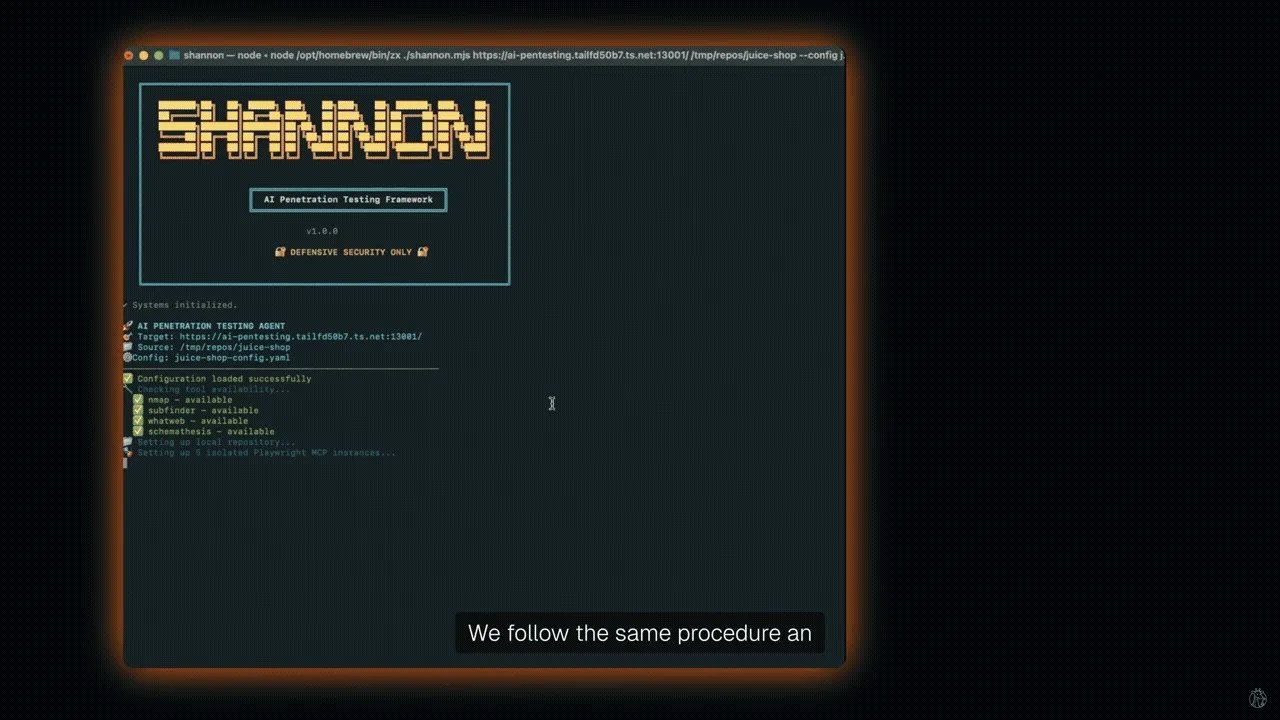
Shannon looks at your web application’s source code to find likely attack paths, then uses browser automation and command line tools to run real exploits against the running app and its APIs. Only findings with a working proof of concept make the final report, so you are not handed a list of maybes. Shannon is the agent. This project is the standalone pentester you run yourself. The same Shannon also powers Keygraph, our commercial pentesting platform.
What it does
-
Reads your code firstIt maps the real attack surface from the source, not just from the outside.
-
Proves the exploitBrowser automation and command line tools run the attack against the live app and its APIs.
-
No false alarmsOnly vulnerabilities with a working proof of concept reach the report.
-
Two ways to run itRun the open project yourself, or use the Keygraph platform for the managed product.
Shannon in action
OpenEyes
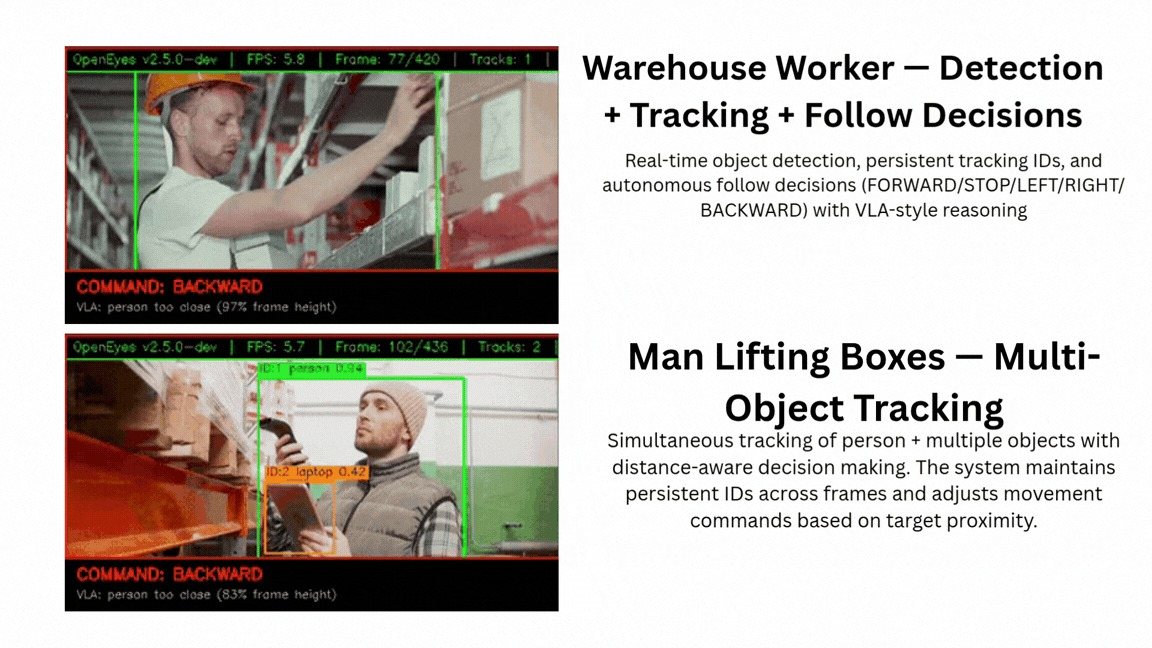
Open source robot vision for edge devices. It gives robots the ability to see, track and follow people in real time.
OpenEyes runs on small hardware: NVIDIA Jetson, Raspberry Pi with an AI HAT, Intel NPU and Hailo. It is built for real use, with TensorRT optimisation, ROS2 integration and Docker deployment out of the box. The pipeline is easy to reason about: camera, detection, tracking, depth, control.

What it can do
- Hardware accelerated pipeline with DeepStream, up to 60 FPS on Jetson
- Object detection with YOLOv10n and TensorRT, over 80 classes
- Face detection, gesture recognition and pose estimation with MediaPipe
- Depth estimation with MiDaS and Depth Anything V3
- Object tracking with ByteTrack that handles occlusion
- Autonomous person following
- Full ROS2 integration and production ready Docker deployment
Measured performance
| Configuration | FPS on Orin Nano | Notes |
|---|---|---|
| DeepStream pipeline | 30 to 40 | YOLOv10n with TensorRT |
| Detection only, INT8 | 50 to 80 | YOLO11n INT8 with TensorRT |
| Full pipeline, INT8 | 15 to 25 | All models with INT8 |
| Full pipeline, INT8, Turbo | 25 to 35 | Aggressive frame skipping |
| Minimal | 25 to 40 | Detection, depth and tracking |
| DLA mode | 20 to 30 | GPU with DLA offload |
Work with us
Want something like this built?
These are our own projects, but the same team builds for clients. Tell us the problem and we will tell you honestly whether we are the right people for it.